Imagine finding a job opening that looks perfect for you. The role matches your interests, the requirements seem manageable, and you are ready to apply. Then you open your resume and realise it needs an update.
You search for a free resume builder, find a website and click to get started. But before you can do anything, you are asked to register, enter your email address, create a password and verify your account. You haven't even started writing your resume yet.
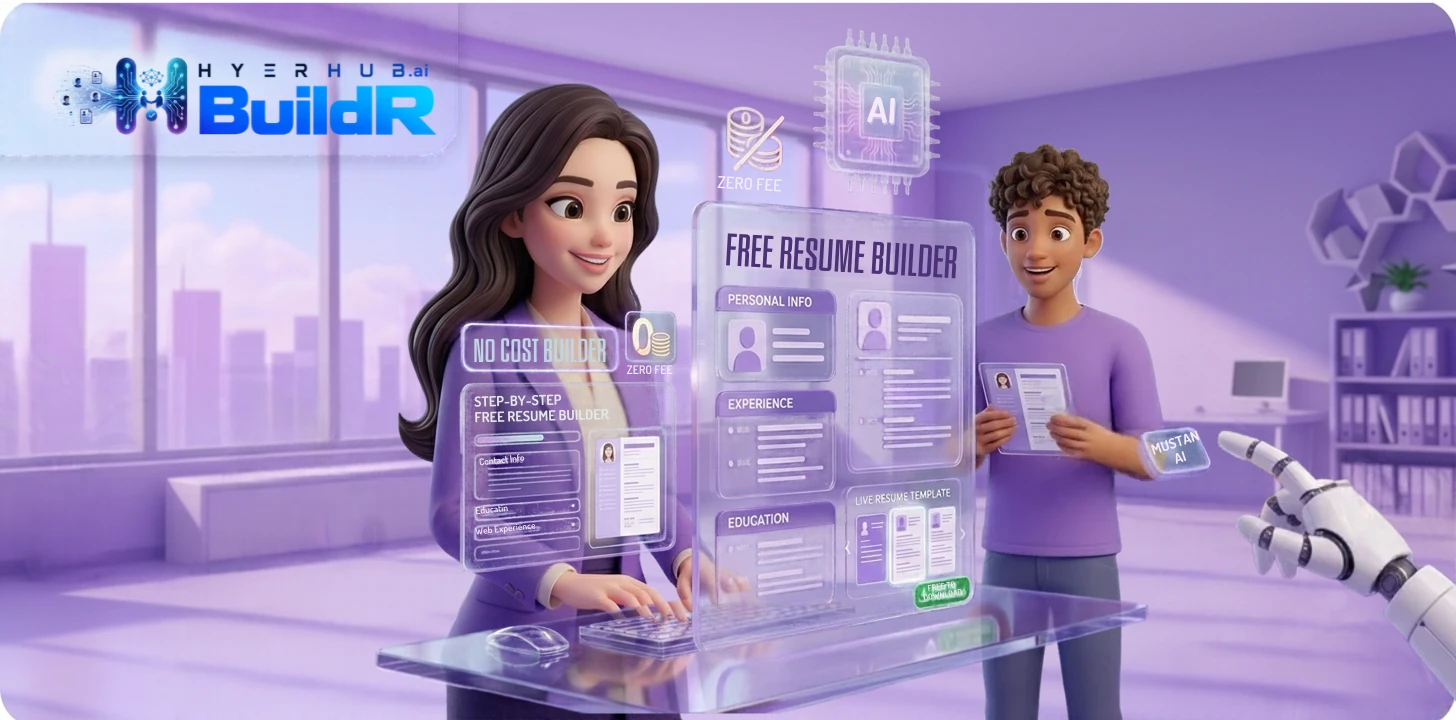
This is where HyeRHub BuildR offers a simpler starting point. It is a free, AI-powered resume-building tool that lets you get started without signing up or logging in.
Whether you are a fresher preparing your first resume or an experienced professional planning a career move, the goal is the same: present your skills and experience clearly without making the process unnecessarily complicated. Let's look at how an easy online resume builder can help.
Why Is Creating a Resume So Difficult?
Most people know what they have studied, where they have worked and what they can do. The difficult part is putting all that information together in a way that makes sense to a recruiter.
Consider a recent graduate. They may have completed a degree, worked on two academic projects and learned several useful software tools. But when they open a blank document, they are unsure what to write first. An experienced employee faces a different challenge: how do they summarise ten years of work without turning the resume into a lengthy job history?
There are also smaller questions:
- Should the resume have a professional summary?
- Which skills are worth mentioning?
- How much detail should each job experience contain?
- Should academic projects be included?
- How can the resume be made relevant to a particular job?
These questions are normal. A good resume is not simply a list of everything you have ever done. It is a carefully selected account of the experience and abilities most relevant to the opportunity you want.
What Makes HyeRHub BuildR Worth Trying?
There are plenty of resume templates available online. But finding a template is only one part of the problem. You also need a convenient way to work on the actual content. HyeRHub BuildR focuses on making that starting experience easier.
1. No Login Required
You do not have to create an account or log in before getting started. Visit HyeRHub, open BuildR and explore the tool directly. For job seekers who want to improve their resume without another registration process, this makes the first step simpler — less time on account forms, more time thinking about what your resume should say.
2. Free to Use
Students may be working with a limited budget. Fresh graduates may be applying to several positions. Someone between jobs may simply want a practical way to update an existing resume. BuildR is free to use, giving job seekers an opportunity to explore its resume-building features without an initial payment.
3. AI-Powered Resume and Profile Assistance
Sometimes you know what you want to communicate, but you struggle to find the right words. A resume might say: “Handled customer calls and answered questions.” A stronger version might be: “Responded to customer enquiries, provided product information and supported the resolution of service-related questions.” The second version gives a better picture of the responsibility.
HyeRHub BuildR offers AI-powered assistance for improving resume and profile content. One thing to remember: AI should help you express your actual experience, not create experience you do not have. Always check the suggestions before using them.
4. Useful for Freshers as Well as Experienced Professionals
A fresher may need to highlight educational qualifications, academic projects, internships, certifications, and technical and communication skills. An experienced professional may need to focus on previous employment, responsibilities, important projects, career progression and measurable achievements. BuildR can be explored by people at different stages of their careers.
5. A Convenient Online Starting Point
You do not need to begin by searching for a suitable template or worrying about formatting everything from scratch. BuildR gives you an online place to start working on your resume and explore AI-powered assistance — particularly useful when you want to make a quick start rather than set up a document before you have even decided what information to include.
How to Create a Professional Resume: A Practical Guide
Before using any resume builder, spend a little time collecting your information. It will make the process easier and help you avoid leaving out important details.
Step 1: Start with Your Contact Details
Your contact information should be easy to find. Include your full name, a professional email address, your contact number, your city or location, and your LinkedIn profile or portfolio if relevant. Check everything carefully so employers can contact you.
Step 2: Write an Introduction That Actually Says Something
Your professional summary should briefly explain your background, skills and career focus. Avoid writing something vague like “I am a hardworking and dedicated person looking for a challenging opportunity.”
A fresher could write: “Recent BBA graduate interested in digital marketing and business development, with academic project experience in market research, social media and customer behaviour.” An experienced candidate could write: “HR professional with five years of experience in recruitment coordination, employee onboarding and HR operations.”
Step 3: Present Your Work Experience Clearly
If you have worked before, list your employment history in reverse chronological order, starting with your most recent role. For each position, mention your job title, company name, employment dates, main responsibilities and relevant achievements. Try not to copy the same responsibilities from one job to another, and include only results you can support.
Step 4: Do Not Underestimate Your Education and Projects
If you are a fresher, your education and projects may be among the strongest parts of your resume. Include relevant academic projects, internships, practical assignments and certifications. Rather than simply naming a project, explain what it involved and what you contributed.
Step 5: Choose Skills That Match Your Career Goals
A long skills list does not automatically make a resume better. Read the job description and identify the skills that genuinely match your abilities. A smaller, relevant list is often more useful than a long list of unrelated terms.
Step 6: Review Everything Before Applying
Read your resume from beginning to end. Check your contact information, dates, job titles and descriptions. Is the information accurate? Can someone understand my experience quickly? Have I repeated information? Are there spelling or grammar mistakes? You can use AI assistance to improve the wording, but the final version should always be checked by you.
Resume Examples: What to Write Instead of Generic Statements
Sometimes a small change in wording makes a big difference. These examples show how to make responsibilities more informative. Use the improved versions only when they accurately describe your work.
| Generic statement | More informative version |
|---|---|
| Worked on social media | Planned and published social media content across relevant platforms |
| Handled customers | Responded to customer enquiries and supported issue resolution |
| Did a college project | Completed an academic project involving market research and data analysis |
| Worked in sales | Supported sales activities, followed up with prospects and managed customer enquiries |
| Managed a team | Coordinated team activities and supported task allocation and progress tracking |
Common Resume Mistakes That Can Hurt Your Application
- Using one resume for every job: Adjust your summary and relevant skills for each application.
- Writing long paragraphs: Use short descriptions and clear bullet points.
- Adding skills you cannot demonstrate: Mention tools and abilities you can discuss confidently.
- Using vague achievements: Explain your actual contribution with specific examples.
- Ignoring proofreading: Check grammar, dates, company names and contact details.
- Overdesigning the resume: Keep the layout readable and consistent.
Can an AI Resume Builder Help with ATS-Friendly Resumes?
Applicant Tracking Systems, commonly known as ATS, are used by some employers to manage and organise job applications. Depending on the system and the employer's settings, they may help process resume information and identify relevant details. A few sensible practices can help:
- Use clear section headings such as Work Experience, Education and Skills.
- Avoid unnecessarily complicated layouts.
- Use relevant keywords from the job description naturally.
- Write job titles and qualifications clearly.
- Keep the formatting consistent.
- Follow the employer's requested file format.
An AI tool can assist with improving wording, but no resume builder can honestly promise that a resume will clear every screening system or secure an interview. Your qualifications, relevance to the position and the employer's selection process still matter.
Why Not Give HyeRHub BuildR a Try?
If you have been putting off updating your resume because you do not know where to begin, start with the information you already have. You do not need to write everything perfectly in the first attempt. Begin with your contact details, education, experience and skills — then review the content and improve it.
HyeRHub BuildR offers three useful advantages:
- No login required: Get started without creating an account.
- Free to use: Explore the tool without an initial payment.
- AI-powered assistance: Get help improving your resume and professional profile content.
You can visit the HyeRHub BuildR resume builder and select Use BuildR FREE to explore the tool. Your next job application deserves a resume that represents you accurately and clearly.
A Better Resume Starts with a Clear First Step
You do not need to spend an entire day trying to make your resume look perfect. Start with the facts, explain your experience clearly and remove anything that does not help the reader understand your suitability for the job.
If you want a convenient place to begin, explore HyeRHub BuildR. It is free to use, requires no login to get started and offers AI-powered assistance for improving your resume and professional profile.
Ready to build your resume? Try HyeRHub's Free Resume Builder.
Key Takeaways
- HyeRHub BuildR is a free, AI-powered resume builder you can start without signing up or logging in.
- Collect your details first — contact info, summary, experience, education, projects and skills.
- Replace vague, generic statements with specific, informative descriptions of your real work.
- Tailor each resume to the job and keep the layout clean and ATS-friendly.
- Use AI to improve wording, but always check that it reflects your actual experience.
Frequently Asked Questions
Is HyeRHub BuildR free?
Yes. HyeRHub presents BuildR as a free resume-building tool for job seekers, so you can explore its resume-building features without an initial payment.
Do I need to create an account to use HyeRHub BuildR?
No sign-up or login is required to get started with BuildR. You can access it directly through the HyeRHub website and begin working on your resume straight away.
Can freshers use HyeRHub BuildR?
Yes. Fresh graduates can explore the tool when preparing their resumes, including sections for education, projects, internships and skills, as well as any early work experience they have.
Can AI improve my resume?
AI can help make resume descriptions clearer and improve the presentation of your professional information. Always check the suggestions and make sure they accurately represent your actual experience.
What should I include in my first resume?
Start with contact information, a short introduction, education, relevant skills, academic projects, internships and certifications. Include any work experience you have, even if it is limited.
Does using a resume builder guarantee a job?
No. A resume builder can help you prepare and present your information, but it cannot guarantee an interview or a job offer. Your qualifications and the employer's selection process still matter.
What makes a resume professional?
A professional resume is clear, accurate, relevant to the job and easy to read. It highlights your qualifications without unnecessary information or exaggerated claims.